In the Options dialog you specify the types of transactions you want to trace and the level of information to be logged in the trace records.
There are 4 types of request that you can trace.
- General browser requests, where the output is normally HTML or other data returned to the browser.
- AJAX requests, where the output is returned to JavaScript.
- REST requests, where the output is returned to JavaScript.
- Batch requests, i.e. Command Line Interface (CLI) requests.
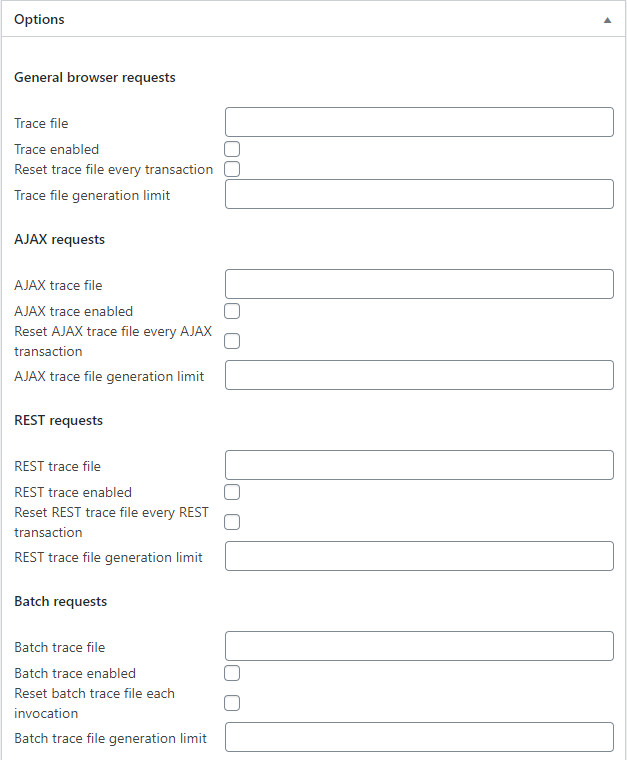
For each request type there are 4 fields to complete.
To activate tracing for a particular request type enter the trace file name, tick the trace enabled check box, tick the reset file every transaction check and set the trace file generation limit.
Trace file generation limit values
For a numeric trace file generation value the current generation number is appended to the trace file name.
e.g. C:/apache/htdocs/wordpress/bwtrace/bwtrace.log.2
where C:/apache/htdocs/wordpress/bwtrace is the Trace files directory, bwtrace.log is the Trace file and 2 is the chosen generation number.
When the limit is reached the system reuses the oldest generation.
When the generation number is 0 the suffix is the current transaction timestamp copied from $_SERVER['REQUEST_TIME_FLOAT'].
e.g. C:/apache/htdocs/wordpress/bwtrace/bwtrace.log.1575903364.056
Use this option sparingly.
